Step-by-Step: What Happens During an iPhone Battery Swap

Step-by-Step: What Happens During an iPhone Battery Swap

Iphone Battery Replacement is necessary when your phone can no longer sustain you daily. Another problem we encountered with Star Shield is rapid battery depletion, overheating, unexpected stops, and a battery capacity that goes below 80%. These problems are related to performance and reliability. Early replacement of iPhone battery is the solution that will enable your phone to regain power efficiency and continue running efficiently.

Why Battery Replacement Matters

A battery with poor power causes your iPhone to strain, thus reducing the performance speed and reducing the time duration of use. When you decide to use Star Shield in case of iPhone Battery Replacement, you are not buying temporary solutions to the problem, but the one that is fixed.

Common signs that show you need a replacement include:

  • Battery draining quickly even with light use
  • Phone heating up during normal tasks
  • Unexpected shutdowns at higher charge levels
  • Battery health showing significant decline

Pre-Repair Checks and Safety Steps

Before starting any repair, Star Shield technicians inspect your device carefully. We run battery health diagnostics to confirm the issue and rule out software-related problems. We also guide you on data safety and ensure the phone is powered off before the repair begins. These checks help protect internal components and your personal data during the iPhone Battery Replacement process.

Battery Removal and New Installation

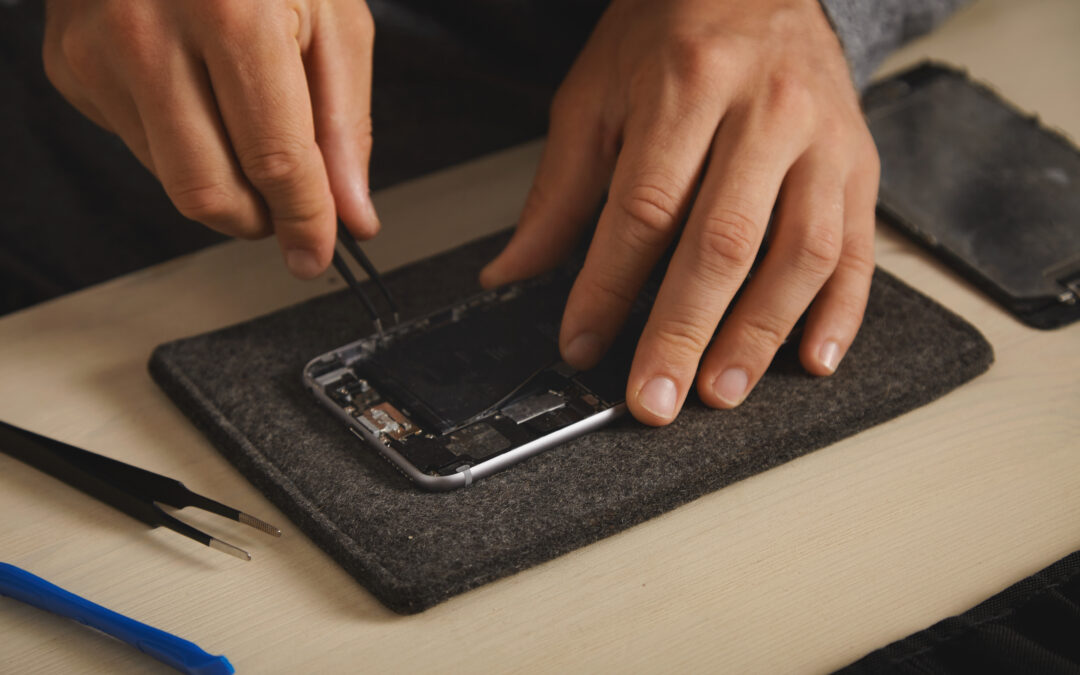
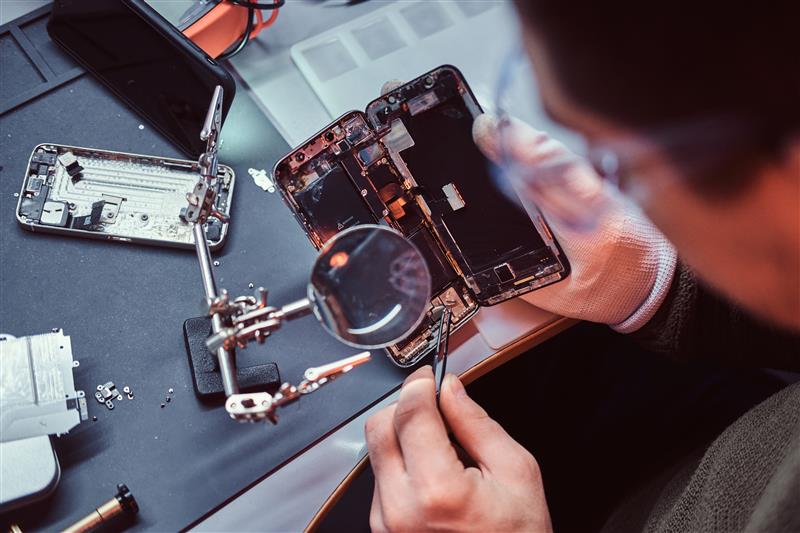
Our technicians open the iPhone using proper tools to avoid screen or frame damage. We disconnect the old battery safely and remove it without disturbing nearby components. Star Shield uses compatible or genuine quality batteries that meet performance standards. After installing the new battery, we secure all connections and reassemble the device with precision.

Post Replacement Testing and Lifespan

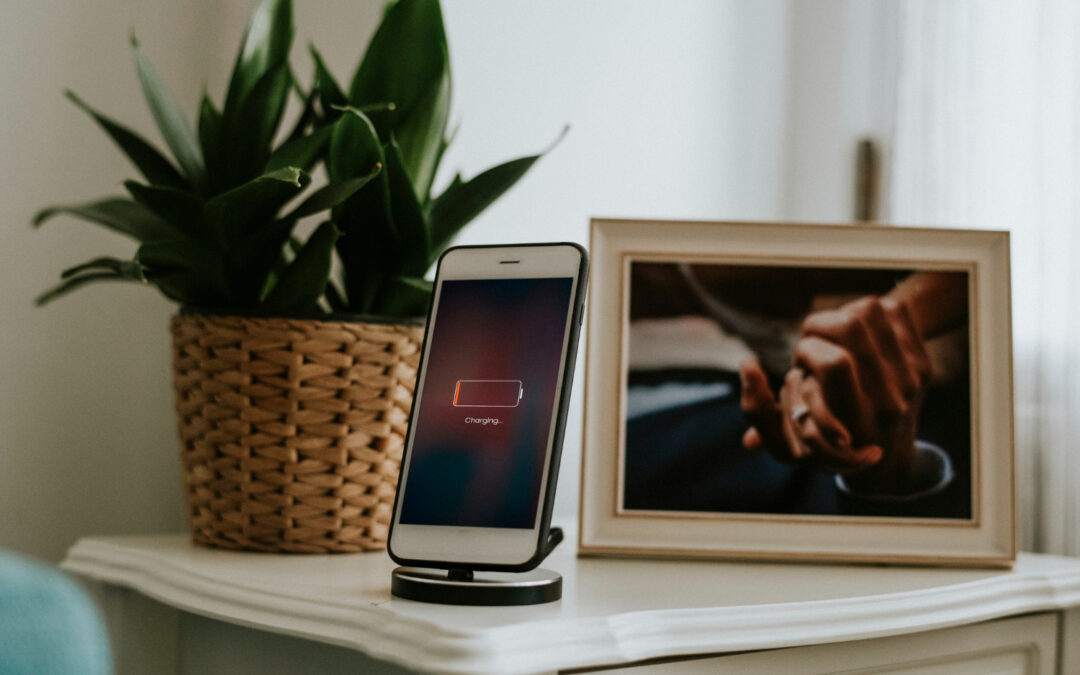
Once the iPhone Battery Replacement is complete, Star Shield performs charging tests and performance checks. We ensure the battery responds correctly, charges efficiently, and reflects proper health readings. Most replacements take a short amount of time, making it a convenient solution. With normal use, a new battery can last for years while delivering stable performance throughout the day.

Conclusion

When a battery fails, this does not imply that the iPhone is at the end of its life. When your iPhone Battery requires replacement, and you use the services of Star Shield, you can have confidence in reliability, safety, and performance. Timely replacement will save you from the larger problems and will keep your device reliable to be used on daily basis.

iPhone Battery Replacement: When, Why, and Where to Get It Done Right

iPhone Battery Replacement: When, Why, and Where to Get It Done Right

Your iPhone is capable of working anything ranging from taking calls, snapping photos, and guiding your trips, to connecting with clients. But then, all this stops functioning when exhausted. The battery keeps depleting quickly, shuts the phone down suddenly, or refuses to charge beyond a certain point – it is an indication for replacing the iPhone battery.

Many people assume that buying a new phone in this case is the only solution, but it’s not true. Your iPhone battery replacement can solve this problem, revive its performance and add years of life to the device.

Signs You Must Need an iPhone Battery Replacement

  • Your phone dies quickly, even at 20-30% battery
  • It overheats during simple tasks
  • Battery health drops below 80% in settings
  • Charging takes too long or doesn’t complete
  • Performance lags despite software updates

Instead of waiting for your phone to launch itself into obsolescence, a preemptive battery replacement can save your phone from the harm that other assortments can inflict and help its smooth functioning just like a new one.

At Star Shield, we offer professional and fast iPhone battery replacement services. We do so by keeping them reliable and affordable. Unlike the generic repair shops, we use quality parts and ensure your device is in the best shape possible after repair.

Why Choose Star Shield for iPhone Battery Replacement?

  • Fast turnaround time – often same-day service
  • Certified parts that match Apple’s specifications
  • Zero data loss during replacement
  • Pickup and return options available*
  • Diagnostic check included with every placement
  • Transparent pricing with no hidden charges

Replacing your iPhone battery is not just about power – it is about protecting your investment. With a new battery, your phone’s performance improves, apps load faster, and you are no longer tied to the charger.

Don’t wait until you are caught with a dead phone at the worst moment. Schedule your iPhone battery replacement with Star Shield and keep your digital life running smoothly.

Book your service today at Star Shield and breathe new life into your iPhone.

What Plan Is Best to Extend Your iPhone’s Warranty?

What Plan Is Best to Extend Your iPhone’s Warranty?

Congratulations on your new iPhone (or new to you)! Whether you are investing in the latest iPhone 16 or a trusty iPhone 12, protecting your investment is important. Apple offers a standard one-year warranty, but what happens after that? This is where an extended warranty plan comes in.

Star Shield offers a variety of plans of iPhone’s Warranty to give you peace of mind and keep your iPhone functioning smoothly. Let’s explore which plan might be the best fit for you.

First, consider if you purchased a brand-new iPhone or a pre-owned one. Star Shield offers specific plans for each category.

Pre-owned iPhone Protection

  • Star Shield Preowned 6 Months: This plan is ideal if you have recently purchased a pre-owned iPhone and want some initial coverage. It provides a safety net for unexpected malfunctions for the first six months of ownership.
  • Star Shield preowned 12 Months: This plan offers a full year of peace of mind for your pre-owned iPhone. If you are unsure about the device’s history, this plan provides extended protection against potential hardware issues.

Brand New iPhone coverage

  • Star Shield 1-Year Extended Warranty: The plan seamlessly extends your iPhone’s warranty coverage beyond the standard one-year offered by Apple. This is a great choice if you need comprehensive coverage of your brand-new iPhone.
  • Star Shield 2-Year Extended Warranty: for ultimate peace of mind, consider a 2-year extended warranty. This plan offers an additional year of coverage after the standard Apple warranty expires, ensuring your iPhone is protected for a total of three years.

Beyond Standard Warranty

It is important to note that some plans, like Star Shield’s extended warranty plan, go beyond the standard Apple warranty. While the standard warranty covers manufacturer defects, extended warranty plans often cover additional issues, such as:

  • Accidental Damage: A spill happened, and the phone got dropped. An extended warranty plan can provide coverage for accidental damage repair, saving you a significant amount on screen replacement or other repairs due to clumsiness.
  • Battery issues: Over time, batteries lose their capacity. Some extended warranty plan covers battery replacement if the battery health falls below a certain threshold.

Choosing the Right Plan

  • New vs. preowned: Pre-owned iPhones might benefit from a longer warranty period due to their unknown history.
  • Risk tolerance: Are you prone to accidents: If so, a plan with accidental damage coverage is a wise investment.
  • Budget: The extended warranty plan comes at an additional cost. Evaluate the cost of a plan against the potential repair costs you might face without coverage.

Star Shield offers a variety of plans to fit your needs and budget. Visit our website for more detailed information on each plan  and its coverage specifics. Remember, protecting your iPhone with an extended warranty plan allows you to use your device with confidence, knowing you are covered in case of unexpected malfunctions or accidents.

Does the iPhone 14 need a screen protector?

Does the iPhone 14 need a screen protector?


Introduction

Apple’s new iPhone 14’s are the most durable ever. But that doesn’t mean you don’t have to think about protecting them. In fact, you should!


Let’s start with the basics — are your phone screens made of glass?

Glass is a great material for screens because it’s strong and scratch-resistant. It’s also the most popular screen material among smartphones. The iPhone 14 has a glass screen made of Ceramic Shield Glass, which is considered to be one of the toughest around at this time. But if you’re worried about your phone getting damaged from everyday wear and tear, don’t worry! You can still protect your phone without sacrificing its sleek design with a thin layer of protection that covers its surface in case something falls on it or if you accidentally drop it.


Is there any difference between iPhone 14 glass and other phone manufacturers?

While iPhone 14 glass is made of Ceramic Shield Glass, other phone manufacturers use different types of glass. Some manufacturers make their phone screens out of plastic, which is cheaper than sapphire but also less durable and scratch-resistant than the premium material used in iPhones. Other phones are made with sapphire. This material is the strongest and most scratch-resistant of them all, but it’s more expensive than its competitors because it takes more effort to produce—so you don’t see it on older models or budget devices from Samsung or Huawei (for example).


How do you protect an iPhone screen?

How do you protect your iPhone screen? There are several options:

  • Use a screen protector. The slimmest option, this thin plastic film is designed to keep your glass from shattering when dropped or banged against other objects. They’re cheap, easy-to-apply (as long as you get the right one) and come in many colors, textures and finishes that can change how your phone looks. But they don’t offer much protection from drops or dings—and can even make it harder to swipe across the screen because they create friction between your finger and device.

  • Use a case. This is by far the most popular way for people to safeguard their phones against damage—but there are so many styles out there that it can be hard to know where to start! You could go with something super simple like an Otterbox commuter case ($60) or opt for something more eye-catching like an Incipio NGP Crystal Bumper ($35). If you want something with more flare but still offers protection against drops and bumps, we suggest trying out a clear TPU case from Spigen like their Ultra Thin Fit Series Crystal Clear Case ($13).


  • Don’t use either option at all! While some people choose not to take any precautions whatsoever with their iPhone 14s—and we don’t blame them—we strongly advise against this approach if yours came preinstalled with an inferior display panel that isn’t up par with other high-end devices on the market right now (such as Samsung’s Galaxy S16 series).


  • Lastly, why not have a combination of all! You can use a transparent phone case so that you can still admire the newly purchase iPhone together with a tempered glass screen protector to protect your screen from cracks and scratches and a warranty that covers 1 time free screen replacement (an original manufacturer screen) all in one. The best part is that you can get this combo at only $19!


Do screen protectors really work?

You’ve probably heard that screen protectors aren’t effective. But the truth is, not all screen protectors are created equal. Screen protectors can be made of glass or plastic and come in a variety of shapes, sizes and shades. Some screen protectors are designed to work with cases while others can be used without one.

Some people also like to use anti-glare properties on their phones because they let you use your device in bright light without being blinded by reflections off the display. If you’re going for a matte finish, then opt for a protector that doesn’t have anti-glare properties as it will get dirty quickly from fingerprints and dust particles landing on it throughout the day.


Why do you have to pay so much for privacy or anti-glare screen protectors?

When it comes to screen protectors, the main difference between anti-glare and privacy is the material used. Anti-glare uses a plastic film while privacy is made from glass.

The way you can tell whether a screen protector is made of glass or plastic is by touching it with your finger—if it feels like glass, then you know that it’s going to be more durable and easier to apply than one made from plastic.

The reason why many people prefer anti-glare over privacy (or vice versa) has nothing to do with how effective each type of screen protector is at protecting their iPhone’s displays—it all boils down to personal preference. Some people just don’t want others in close proximity to be able to see what they’re doing on their phones while others prefer not using any kind of cover because they think that there’s no point in doing so if they aren’t buying an expensive phone case or cover.


Are thicker screen protectors better than thin ones?

While thicker screen protectors may be more durable, they can also be a bit more difficult to apply. The main difference between thin and thick screen protectors is how much of the image you see on your iPhone’s display and how sensitive your phone can remain with your finger swiping it every now and then.

A thin glass protector will have a 0.4mm thickness (about 1/32 of an inch). It will cover your entire screen and provide protection against scratches, nicks, dings, and other everyday wear-and-tear damage that might come from putting your phone in your pocket or purse.

A thick tempered glass protector has a thickness of about 0.7mm (1/32″), which means it covers less of the display than a thinner one does because it needs enough room to attach itself properly without affecting touchscreen responsiveness or quality—but if this is what you’re looking for in an iPhone 14 case then we recommend checking out some other options instead!


Will a screen protector stop my iPhone from cracking if I drop it?

If you’re wondering if a screen protector will stop your phone from cracking if you drop it, the answer is no. Screen protectors are not designed to absorb impact, and will not prevent the glass from shattering when hit by an object or surface. They do help prevent scratches though, so there’s that!


Do all iPhone models have the same size screens? What about different sizes of iPhones like Plus, Pro and Max?

iPhone screens come in three flavours:

  • iPhone Plus (5.5-inch)
  • iPhone Pro (6.5-inch)
  • iPhone Max (6.7-inch)


Should I put a screen protector on my new iPhone 14 or wait a while?

If you’re planning to buy a new iPhone 14 and have no interest in buying a screen protector, then don’t. But if you do want to buy one, it’s not too late. You can still go ahead with your plans to get an iPhone 14 and put on the protective cover before you do so. However, if you want to wait for a bit and see how things shake out before making any decisions about whether or not to get a screen protector for your new iPhone 14, then that’s perfectly fine too! But just be sure to protect it really well as you do not want a $1,500 purchase to go wrong in the first week of purchase! On top of just getting a cover for like $30 and a screen protector for another $20, why not just get a combo set plus a free screen replacement warranty at just $19.90?


Does it matter what kind of case I use if I have a screen protector on the front of my iPhone 14 too?

First, the case is a good idea, but it’s not necessary. The iPhone 14’s glass screen is durable and resistant to scratches and cracking. If you do get a case for your iPhone 14, make sure that it’s thin and light; easy to put on and take off; has a raised edge around the screen (to keep it from directly contacting surfaces); and has a good grip so that you can hold onto your phone without dropping it.

How do I get dust, dirt and lint off my new iPhone 14 screen protector before I put it on my phone?

There are many ways to get dust, dirt, and lint off your iPhone 14 screen protector before you put it on your phone. Here are some tips:

  • Use the microfiber cloth that comes with the screen protector. This is by far the easiest way to get rid of dust, dirt, and lint. You probably already have one at home!
  • Use a lint roller to pick up any remaining bits of dust or hair after using the microfiber cloth.
  • Use tape if there’s leftover dirt that won’t come off no matter what you try (the tape will stick right to it). Just be careful not to scratch up your screen while removing it!
  • *Don’t touch your new iPhone 14 screen protector with dirty hands!

How do you clean your already applied iPhone 14 screen protector without scratching it?

To clean your already applied iPhone 14 screen protector without scratching it, use a soft cloth to gently wipe away dust, dirt and lint. A microfiber cloth is great for this task since it won’t leave any residue. You should also be able to use a damp cloth if you don’t have any microfiber available.

When cleaning fingerprints from the screen protector itself, try not to use anything that could scratch it or cause any damage whatsoever. If you’re dealing with oily fingerprints on your screen protector (like after eating greasy food or playing games), then a soft damp cloth will work best for getting rid of those pesky marks!

The iPhone 14 is more durable than ever but adding a great protective glass shield is still a good idea.

It’s true that the iPhone 14 has some incredible new durability features, but it’s still a good idea to add a screen protector.

Screen protectors are available in many different styles and materials. Some are better than others, so it’s important to choose the right one for your needs.

Conclusion

The iPhone 14 is arguably the most durable phone on the market today. It’s also one of the most expensive. So if you’re going to spend $1,500+ on a new device (or more), it makes sense to protect your investment! There are several ways to do this, including getting an iPhone case or a screen protector but why not just do it all with a free warranty for a one time screen replacement in one at just $19.90?

Backup Management—Do Computers Have Backups Like Phones?

Backup Management—Do Computers Have Backups Like Phones?

Whether you use your computer for office, business, or home, you can never afford to lose your data. All your images, videos, documents, and other files have a certain importance, memories, and value.

Data loss can happen due to number of reasons, such as hard drive failure, virus attack, file corruption, etc. It can happen anytime; therefore, creating a backup is necessary, and it must be done in the right way if you want to save your data from any loss.

In this article, we will tell you all you need to know about computer backups. We will also share how you get to it the right way or get a professional service to increase the reliability of your data.

External Storage Devices

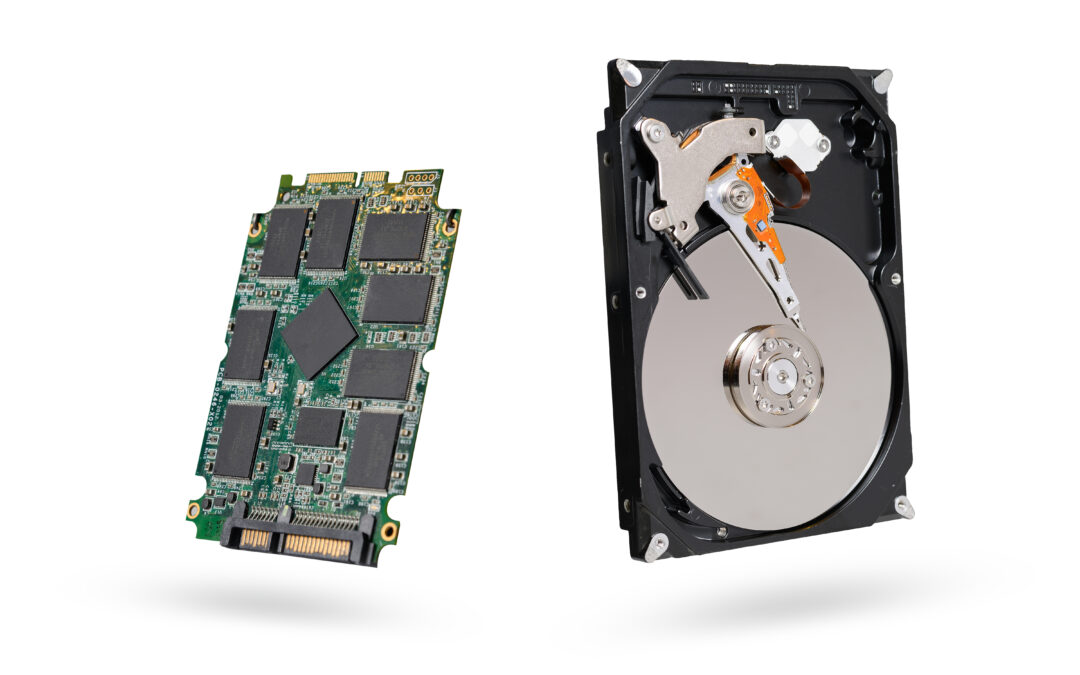
The easiest and most traditional way of creating backups is the external storage devices. We used CDs, DVDs, and floppy drives more than a decade ago to store important data. Now, we have advanced technology in the shape of external hard drives, USB flash drives, Network Attached Storage (NAS), SD cards, etc.

You can use an external storage device to create a backup of your data. For instance, you can use a hard drive and make a copy of all your data and save it on the drive. It will be useful if your internal hard drive fails or if there is any other issue with the data.

You only need to copy and paste the data you want to back up; It’s not rocket science. However, you can compress some files to save more files in less storage. Choose appropriate the storage according to the data size, and then create a backup.

Local Backup

You can also create a local backup on your local storage, i.e., the hard drive already connected to your computer. Many users create a local backup using various tools and keep that backup in a separate partition.

The local backup is helpful if you accidentally delete your data, or if some of your data is corrupted. You can restore the backup and get your files back. It is a lifesaver, but this backup can also be lost in case of hard drive failure.

Cloud Storage

Cloud storage is the best way to keep your data safe. Once you have your data in the cloud, you can breathe a sigh of relief because it is more reliable than storing it on an external hard drive. Your external drive can be lost or damaged, or anything can happen to it. But cloud storage is more secure and reliable.

Nowadays, creating a backup in the cloud is pretty easy. There are dozens of cloud service providers, and you can easily pick the best one according to the size of your data and your budget. Whether you need the storage for personal use, business, company, or large corporate sector, all types of cloud services are available and just a few taps away.

You can also use a free cloud storage service, such as Google Drive, Mega, pCloud, and TeraBox to store some data. While their free storage is limited, you can increase it by buying any of their plans.
All you need to do is upload your data to the cloud, and then you can access it and restore it whenever and wherever you want.

Backup Software and Tools

There are various backup software and tools available that you can use to create a backup. Operating systems also have built-in tools, such as Time Machine on Mac and Windows Backup for Windows.

You can either use built-in tools to create a backup or a third-party tool. There are many backup tools available that make creating a backup easier and quicker.

But if you think you do not have a lot of data, then copying and pasting in external drives and uploading to a cloud storage is more than enough. You can do it on your own without using any of these tools.

Basically, these tools are complicated and take time, so you can do everything on your own if you have personal data only. For larger data, you need to use suitable software or tools.

How to Do Backup Management Properly?

If you want to keep your files safe from data loss, then you should make several backups of your data. Making one backup is good, but making multiple backups secures your data better.

The best way is to create two backups on different external drives and one backup in the cloud. It is a very reliable combination of data backup. But if you want to save some money, you can create one backup on an external drive and one on the cloud.

If you have made backups on the cloud as well as external drives, there are almost no chances of losing data. You can recover from any of these whenever you want.

Creating a backup is not enough because you also need to update it periodically. As your files increase and data is updated, you also need to create a new backup. Depending on the importance of data and other factors, you can create backups daily, bi-weekly, etc. It is better to back up data daily or at least once a week.

Moreover, you can also use the automatic backup feature of the cloud storage service. You can dedicate a folder and save all their important data there. The cloud will automatically sync the files and upload them to the cloud, so you won’t have to do anything.

Get Professional Data Backup Services from Star Shield!

If you want to get professional data backup services, you can get them from Star Shield. We have been serving in Singapore for more than 14 years, and our stores are available all over the island.
We offer complete data backup services for personal as well as business data. It can offer your complete services and help you create a reliable backup of your files without any hassle.

You can visit any of our stores to discuss everything in detail with our professionals. For more details, you can contact us at 6586 7788 or repair-services@starshield.sg.

Ways to Improve Phone Battery Life

Ways to Improve Phone Battery Life

Smartphone users often struggle with short battery life, and it is mostly because of poor battery health. However, you can still improve the battery life if you know the right way.

There could be some unwanted applications or features draining your battery for no reason. In this case, you can improve the battery life to some extent and use the battery for a longer time after a complete charge by implementing some simple tips and tricks.

In this article, we will share some useful and sensible ways to improve phone battery life. Obviously, we won’t recommend putting the device on Airplane mode as that would disable all of the features of your phone and render your phone significantly less functional. We have collected some effective tips & tricks that can improve battery life for sure. You can try them and enjoy a better battery life.

1) Power Saving Mode

The first way to improve the battery life is to use Power Saving mode or Low Power mode. You can find this feature in either Android or iPhone, and it is a useful feature in preventing the unwanted use of the battery.

With this single feature, all of the phone’s features will be optimised to keep your battery life as long as possible. It is a go-to feature that you can turn on whenever you want with just one tap.
It controls the background usage of the applications, screen brightness, syncing, location checking, CPU speed, GPU frequency, and a lot of things on its own. It is specifically designed to do everything that can help you save battery.

2) Brightness Control

Screen brightness also drains too much battery, so you need to control it according to your needs. There is no need to set the brightness to the maximum because it is not necessary, and it will also put a strain on your eyes.

It is better to decrease the brightness to an optimal level at which you can use the device without any hassle. If you are outdoors, you can increase the brightness of the screen to see it under the sun. Many users usually keep the brightness level to the lowest to maximize battery life.

3) Say No to Always On Display

Always On display is an amazing feature of Androids, and now, it is also available on iPhone 14. The display always remains on even if you are not using your device. It is handy when you want to look at the time and notifications without touching the screen, but most of the time, you don’t need it.

If you want to save battery, turn off the Always On display mode because it keeps draining your battery. But if you really need this feature, you can limit the feature to a specific duration of the day, such as working time.

4) Turn Off Vibrations

Your device vibrates when you type through the keyboard, touch the screen, there is an incoming call, etc. These vibrations also drain the battery.

You might not need vibrations in many situations, such as for the keyboard and touch screen. You can turn it off to save the battery. Plus, if you don’t want your device to vibrate on notifications, messages, and incoming calls, you can also turn it off.

5) Turn Off Bluetooth and Wi-Fi (When Not in Use)

When you are not connected to any device via Bluetooth, it is better to turn it off. If your Bluetooth is left on while it is not connected to any device, it will be constantly searching for any device to connect to, and thus continually drain your phone’s power.

Secondly, when you are using your cellular data, there is no need to turn on the Wi-Fi. You can turn it off when it is not in use and then turn it on again whenever you want. Much like Bluetooth, while your Wi-Fi is turned on, it will be constantly looking for networks to join and thus consuming battery power. These two things are also battery drainers, so you can save battery life by managing them properly.

6) Look For Battery Killer Apps

You might have many applications on your device that you don’t use. But the problem is they might be consuming batteries even if you are not using them. Plus, some of the applications drain too much battery life, so you also need to check them and limit their usage.

First, you need to check which applications are using more battery. You can check the usage status of the applications in Battery Usage on Android and Battery on iOS. You will have a complete list of the applications and their usage. It will give you a better idea of which application is draining the battery most.

After identifying the applications, you can either uninstall them or limit their usage. For instance, you can limit their background activity of location checking and syncing.

7) Background Usage Limits

Even if you are not using the applications, there are many that are running in the background, and you will never know about it.

You need to limit the background usage of the applications. You can manage which applications are using the battery by running in the background. Limit their usage by imposing restrictions. If you don’t use the application or you use it once in a blue moon, you should put the application to Sleep.

Does Your Battery Drain Quickly? Contact Star Shield

If your phone’s battery drains quickly, the most common reason is that the battery is at the end of its lifespan or it has deteriorated. If that is the case, you should get the battery replaced.

However, you don’t need to worry, as Star Shield is always here for you. We have been serving the island for more than 14 years, and we offer complete repair and replacement service with a 90-180 days workmanship guarantee.

Our experienced staff and technicians can check for the issues on your device. If there is an issue with the battery, they will recommend the Android or iPhone battery replacement service. It will solve the short battery life issue.

You can visit any of our 11 Star Shield stores island wide where our technicians can diagnose your device. We also offer pick-and-drop facilities. For more information, you can contact us anytime at 6586 7788 or repair-services@starshield.sg.

Open Form